

This guide is designed to help you understand the vulnerability scan results provided as part of your Cyber Essentials Plus (CE+) assessment with Evolve North. These results highlight security weaknesses identified on the endpoints and servers included in your CE+ sample.
You will receive:
- A PDF report summarising the vulnerabilities that must be addressed before CE+ certification can be achieved.
- An Excel workbook detailing each vulnerability, its associated device, and additional technical information such as CVSS scores, threat descriptions, and remediation steps.
Understanding these results is essential for prioritising fixes, reducing risk, and ensuring compliance with the goal of you achieving your Cyber Essentials Plus certification.
Background
As part of the Cyber Essentials Plus (CE+) assessment, vulnerability scanning is performed to identify known security weaknesses on the endpoints and servers included in your sample. These scans are conducted using the Qualys Cloud Agent, a lightweight application installed on your devices that continuously monitors for vulnerabilities and configuration issues.
The accompanying reports (PDF summary and Excel spreadsheet) provide detailed information, including:
- Threat & Impact: What could happen if the vulnerability is exploited.
- Solution: Recommended remediation steps.
- Result: Where the Qualys agent has found the vulnerability.
- CVEs & References: Links to official vulnerability databases for further research.
How to read the Report PDF
This document provides a simple overview of the vulnerability assessment conducted as part of your Cyber Essentials Plus (CE+) assessment. It includes an Executive Summary, an explanation of how to interpret the results, and detailed findings from both external and internal scans. The report also explains key concepts such as severity ratings, CVSS v3 scores, and CVE references to help you understand the impact of identified vulnerabilities.
The two main areas to focus on are the:
External Scan Summary – which outlines vulnerabilities detected on systems exposed to the internet.
Internal Scan Summary – which details vulnerabilities found on the sample of endpoints and servers.
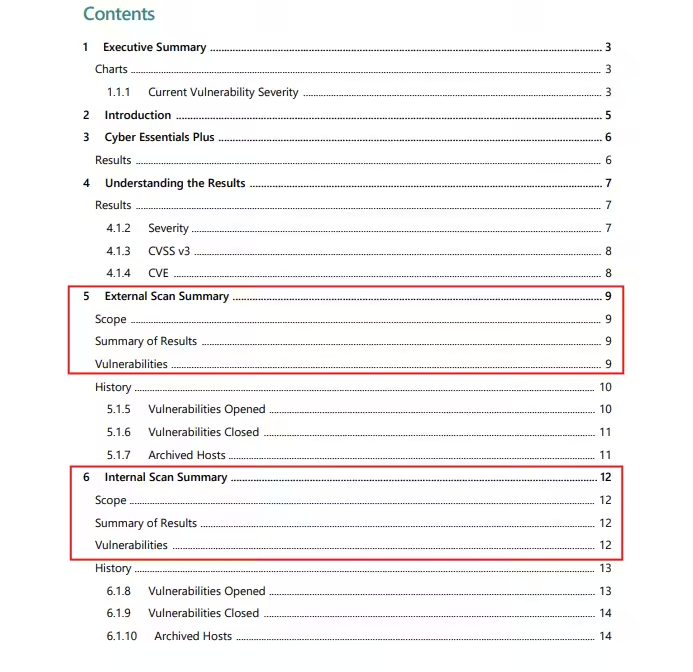
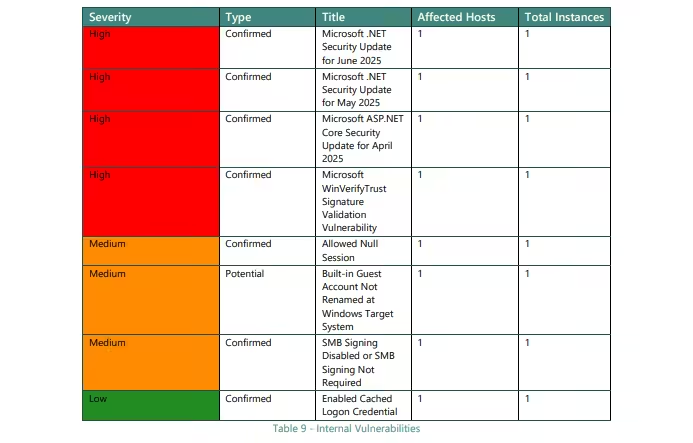
These sections include an overview of the scan scope, outlining how many devices were assessed. This is followed by a high-level summary of the findings and a detailed vulnerabilities table. The table lists each vulnerability along with its severity rating, title, and the number of affected hosts, providing a quick way to identify and prioritise critical issues.
Understanding CVSS Scores
The Common Vulnerability Scoring System (CVSS) is an open framework for communicating the characteristics and severity of software vulnerabilities. The version we use in our documents is version 3 as this aligns to Cyber Essentials. The goal is to help organisations prioritise vulnerabilities for remediation.
Severity Ranges:
- 9.0–10.0 = Critical
- 7.0–8.9 = High
- 4.0–6.9 = Medium
- 0.1–3.9 = Low
How to use the Results Excel Workbook
This document provides a detailed overview of your external and internal scan results. Once loaded you will have the option to view you external or internal overviews.
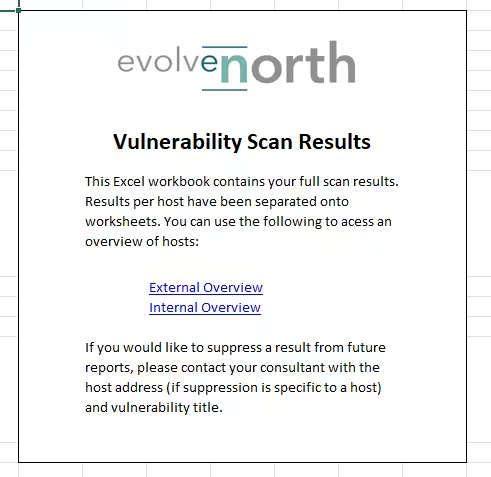
For example, selecting Internal Overview opens a page displaying each device included in the scan, its Cyber Essentials Plus (CE+) status, and the number of vulnerabilities grouped by severity level. In this example, only one device was scanned.
When reviewing your own results, you may see devices marked as either Pass or Fail:
Pass: These devices meet CE+ requirements and do not require remediation for certification. They may still have vulnerabilities, but these are either low severity or relate to patches released within the last 14 days, which is acceptable under CE+ guidelines.
Fail: These devices contain vulnerabilities that breach CE+ compliance. Typically, these are high or critical severity issues where a patch or fix has been available for more than 14 days. These must be addressed before certification can be achieved.

To view the specific vulnerabilities for a device, click on its Hostname. This will display a detailed list of all vulnerabilities associated with that device, along with key information such as Cyber Essentials (CE) status, CVSS score, and vulnerability title.
As a reminder, you must remediate all vulnerabilities marked as ‘Fail’ to pass the scanning portion of Cyber Essentials Plus. These typically represent high or critical severity issues where a patch has been available for more than 14 days.
Your initial view will include all vulnerabilities, but to streamline your efforts, we recommend filtering the CE Status to ‘Fail’. This allows you to focus on the vulnerabilities that directly impact your CE+ assessment and need immediate attention.
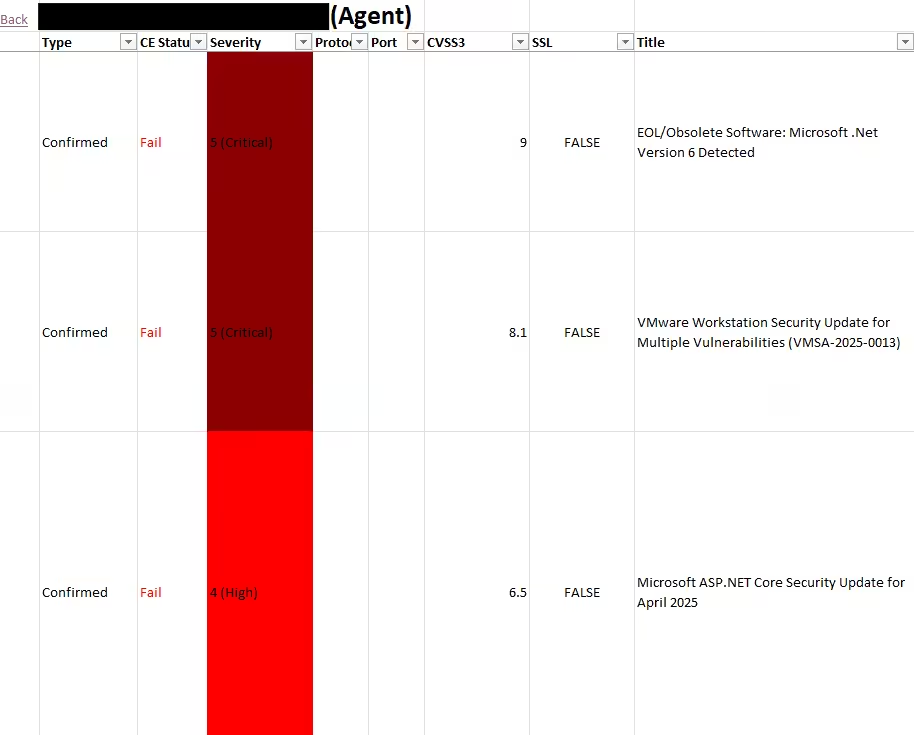
Using the horizontal scroll bar at the bottom of the spreadsheet, you can access additional details for each vulnerability, including:
Threat: A description of the potential risk if the vulnerability is exploited.
Impact: The possible consequences for your system or data.
Solution: Recommended remediation steps to resolve the issue.
Result: The location where Qualys has found that specific vulnerability
(In this example, the Result column has been redacted as it contains file paths specific to the device.)
Reviewing these fields is important because they provide context beyond just the CVSS score, helping you understand why the vulnerability matters and how to fix it.

Finally, by scrolling to the far right of the spreadsheet, you’ll find links to official CVE entries and vendor support pages. These resources provide in-depth information about each vulnerability, including technical details, risk analysis, and recommended remediation steps. Using these links can help you better understand the nature of the vulnerability and ensure you apply the correct fix.

Next steps after reviewing your report
Once you’ve reviewed your results, the next step is to apply the necessary patches and configuration changes to remediate the identified vulnerabilities. Focus on addressing all issues marked as Fail, as these directly impact your Cyber Essentials Plus compliance.
After you believe all required fixes have been implemented, you can request a follow-up vulnerability scan from Evolve North to verify that the issues have been resolved. This re-scan is essential for confirming compliance before certification.
If you’re unsure how to apply a specific fix or interpret a remediation step, our team is always available to assist, whether through guidance, remote support, or scheduling a session to walk you through the process.
If you’re unsure about any of these steps, please contact us on 01748 905 002 or email: info@evolvenorth.com, we’re happy to help.